How to show your TouchDesigner shader on Creative Code Art
If you make pixel shaders in a GLSL TOP in TouchDesigner, you can show them on your artist page. Paste the shader as it is: the site knows TouchDesigner's own names and runs it the way TouchDesigner does. Visitors see it live in their browser, and you can give them sliders to play with.
Above is Ink Current, a TouchDesigner shader running on the site. Move the sliders under it to change it.
1. Start a new work
- Sign in and open My account → My works.
- Press New work.
- In Tool, choose GLSL shader.
2. Paste your shader
Open your GLSL TOP, copy the code of its pixel shader, and paste it into the editor. When the editor sees TouchDesigner names such as vUV or TDOutputSwizzle, it says TouchDesigner mode above the code. The preview starts a moment after you stop typing.
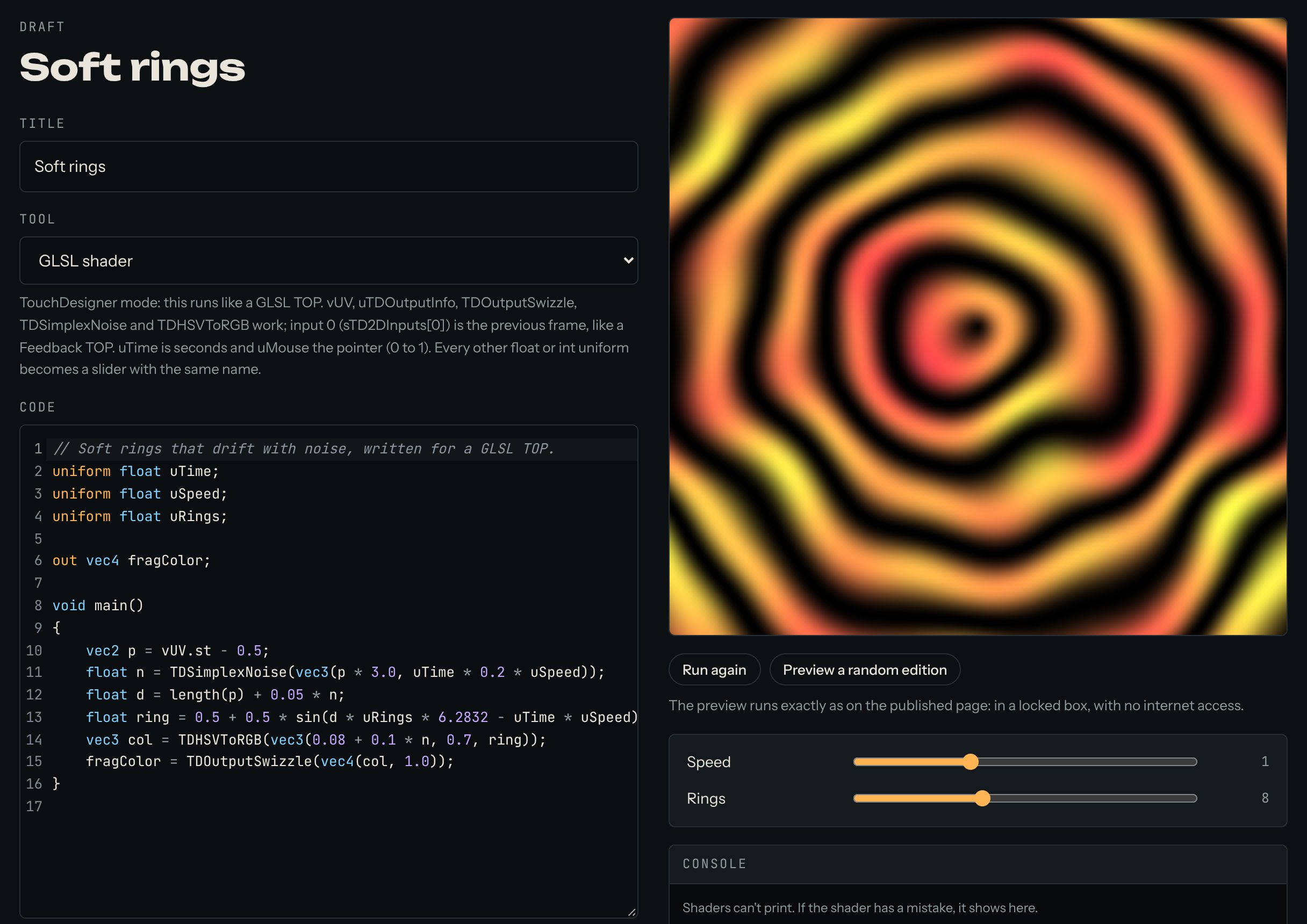
Not sure where to start? Press Coming from TouchDesigner? Load an example for a working shader with trails.
Here is a small shader you can try:
// Soft rings that drift with noise, written for a GLSL TOP.
uniform float uTime;
uniform float uSpeed;
uniform float uRings;

out vec4 fragColor;

void main()
{
    vec2 p = vUV.st - 0.5;
    float n = TDSimplexNoise(vec3(p * 3.0, uTime * 0.2 * uSpeed));
    float d = length(p) + 0.05 * n;
    float ring = 0.5 + 0.5 * sin(d * uRings * 6.2832 - uTime * uSpeed);
    vec3 col = TDHSVToRGB(vec3(0.08 + 0.1 * n, 0.7, ring));
    fragColor = TDOutputSwizzle(vec4(col, 1.0));
}
3. What works
vUV,uTDOutputInfo,TDOutputSwizzle,TDSimplexNoise,TDPerlinNoise,TDHSVToRGBandTDRGBToHSV. (TDPerlinNoiselooks very close to TouchDesigner's, but not exactly the same.)- Time and the pointer: declare
uniform float uTime;for the time in seconds, anduniform vec2 uMouse;for the pointer, from 0 to 1. - Feedback: input 0 (
sTD2DInputs[0]) is the shader's own last frame, like a Feedback TOP. That's how trails are made. - Other inputs, movies and 3D textures aren't available yet.
4. Sliders
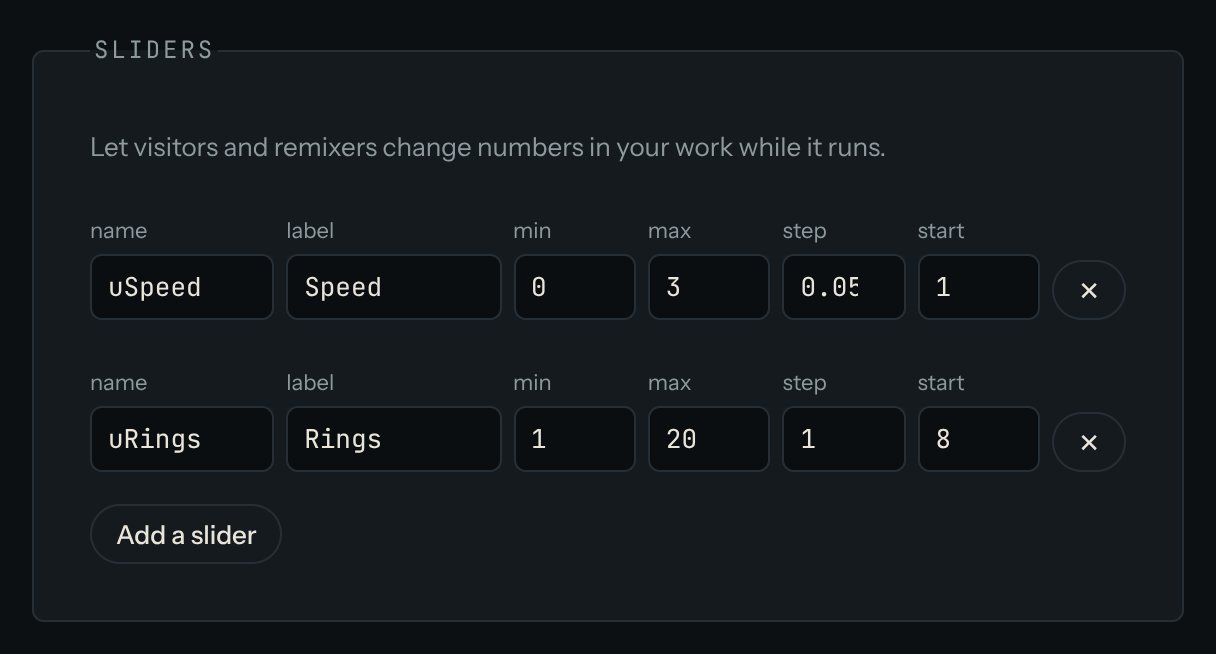
Every float or int uniform you declare yourself becomes a slider with the same name. uTime and uMouse are the exceptions: the site supplies them, so they don't become sliders. In the example above, uSpeed and uRings become the sliders Speed and Rings. The editor shows a button to add the sliders your code needs. Then set each one's lowest value (min), highest value (max) and starting value (start). For this example, try Speed from 0 to 3, starting at 1, and Rings from 2 to 30, starting at 10.
If the shader has a mistake, the error and its line number show in the Console under the preview.
5. Publish
Give the work a title, write a few lines in About this work, and press Publish. The site takes a picture for its cover, and the work appears on your artist page and in Works.
Questions? Read "Can I use shaders from TouchDesigner?" on the Help page, or ask in the Chat.