Make art together: Live Jam, and works made together
Some of the best work happens with other people. Creative Code Art has two ways to make art together: Live Jam, where several artists write one sketch at the same time and watch it run, and Made together, which names everyone who made a work and says what each person did.
1. Start a Live Jam
Open Live Jam (it's also under More in the menu). Under Start a jam, give it a title, choose a language (p5.js, a shader, three.js, Processing, Canvas JS or Strudel) and press Start a jam. The room opens with starter code already running.
You need an artist page to start or join a jam. Anyone with the link can watch.
2. Invite people, and pass the pen
Copy the link from Invite friends and send it to the artists you want to make something with. They press Join the jam; up to 8 people can be in one jam.
One person holds the pen and writes the code. Everyone else sees the code and the running work change within about a second.
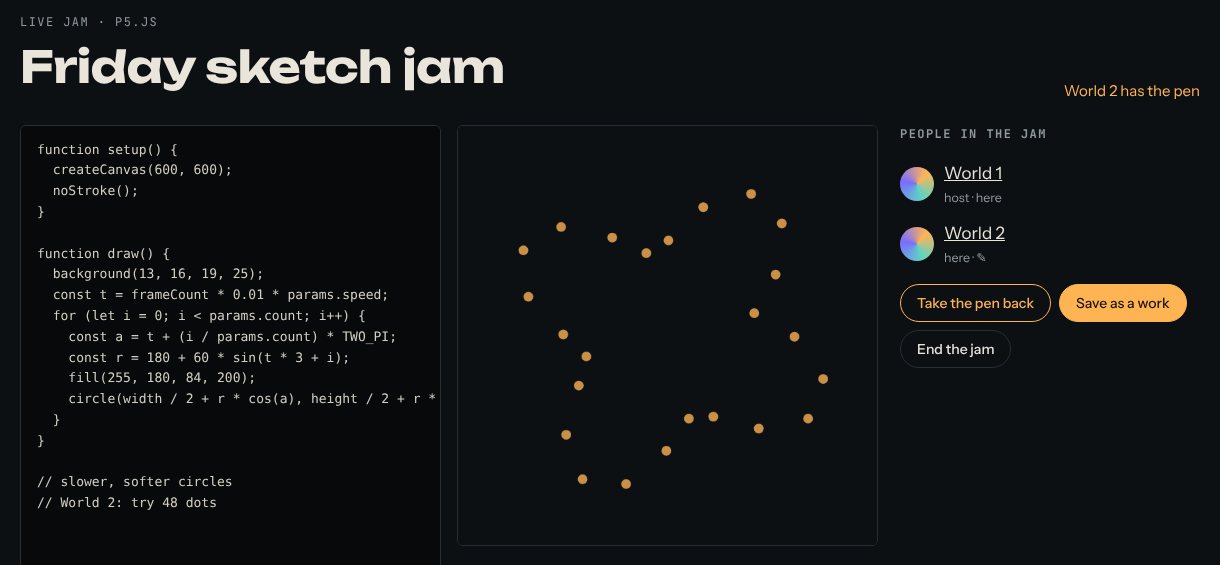
- Have an idea? Press Ask for the pen. A ✋ appears next to your name.
- Whoever has the pen presses Give the pen to… next to your name.
- The host can always press Take the pen back.
A good jam has a plan: agree on a theme first, then give each person a few minutes with the pen.
3. Save the jam as a work
When you're done, the host presses Save as a work. The code becomes a draft work on the host's page, not public yet. The host opens the draft, checks the title and the cover, and publishes it. Everyone else who took part is asked to accept being named on it.
4. Name the people who made a work with you
Any work can name the people who made it, not just jams. Open the work in My works and scroll to Made together:
- Under Your part, write what you did, for example "code and colour".
- Press Add an artist, write their page address (like @their_name) and their part, for example "the sound".
- Press Save.
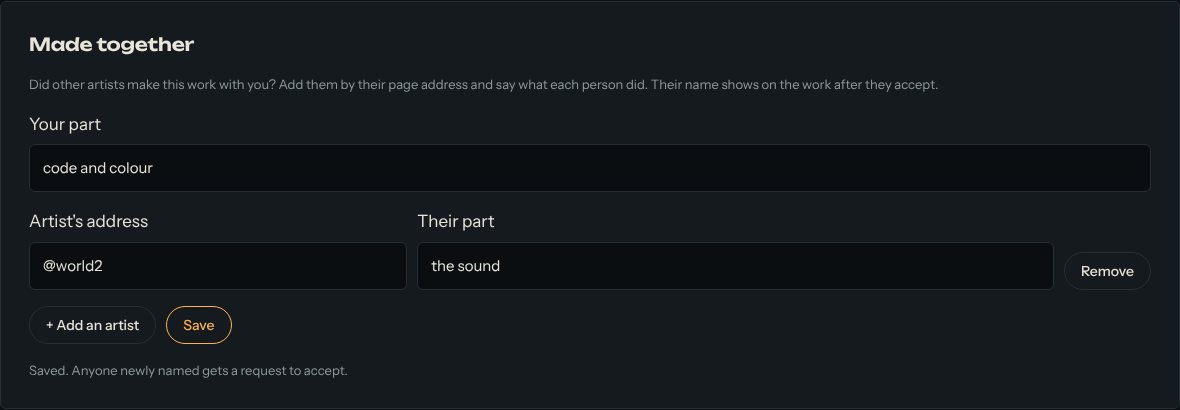
Each artist gets a notification and accepts or declines in their account. Their name shows on the work only after they accept, so nobody can put a name on a work without that person's yes. If you change someone's part later, they're asked again.
5. What visitors see
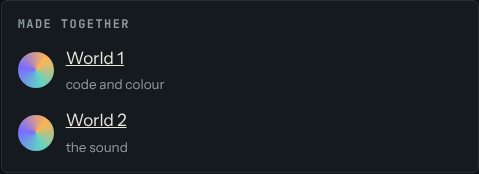
The work's page says "with …" next to your name, and a Made together box shows everyone with their part. The work also appears on each maker's own page, labelled "With …".
Good to know
- Anyone with a jam's link can watch it, so don't put anything private in the code.
- If you leave a jam while holding the pen, it goes back to the host.
- A work can name up to 8 other artists.
Questions? See "How does Live Jam work?" and "Can I credit other artists who made a work with me?" on the Help page.