Show your work on your website, and make a video of it
Every published work has a Share button. With it you can put the work, running live, on your own website, and make a short video of it for Instagram. Both carry your name and a link back to the work, so each one also brings people to your page.
Open any of your works and find Share under it.
1. Copy the link
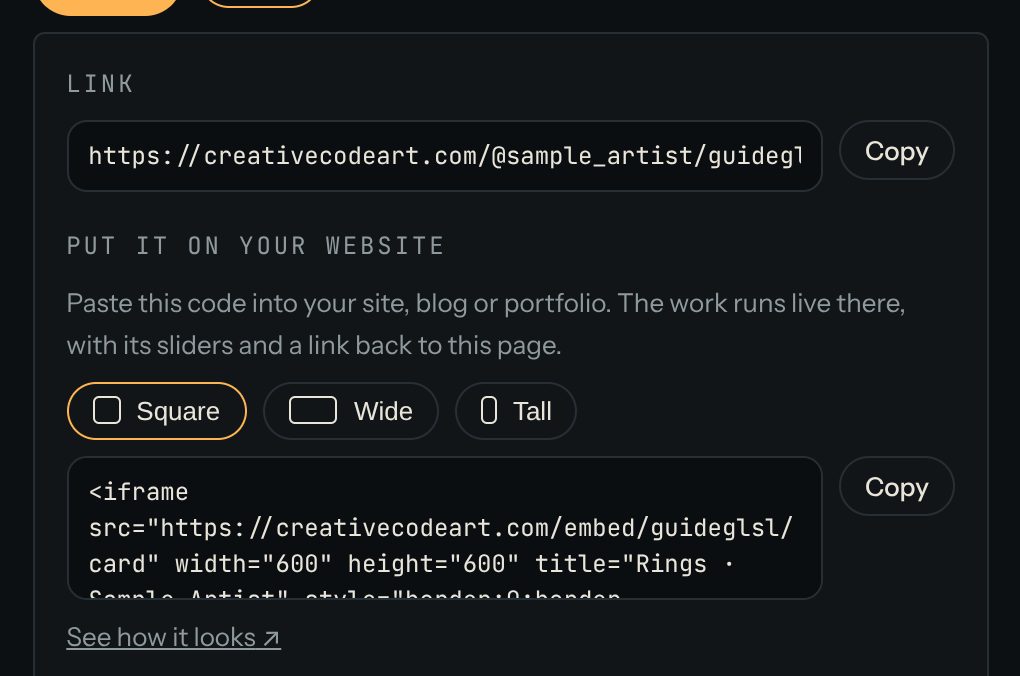
Press Share. The first line is the work's Link. Press Copy and paste it wherever you like: a message, a bio, a post.
2. Put the work on your website
Under Put it on your website:
- Choose a shape: Square, Wide or Tall.
- Press Copy next to the code.
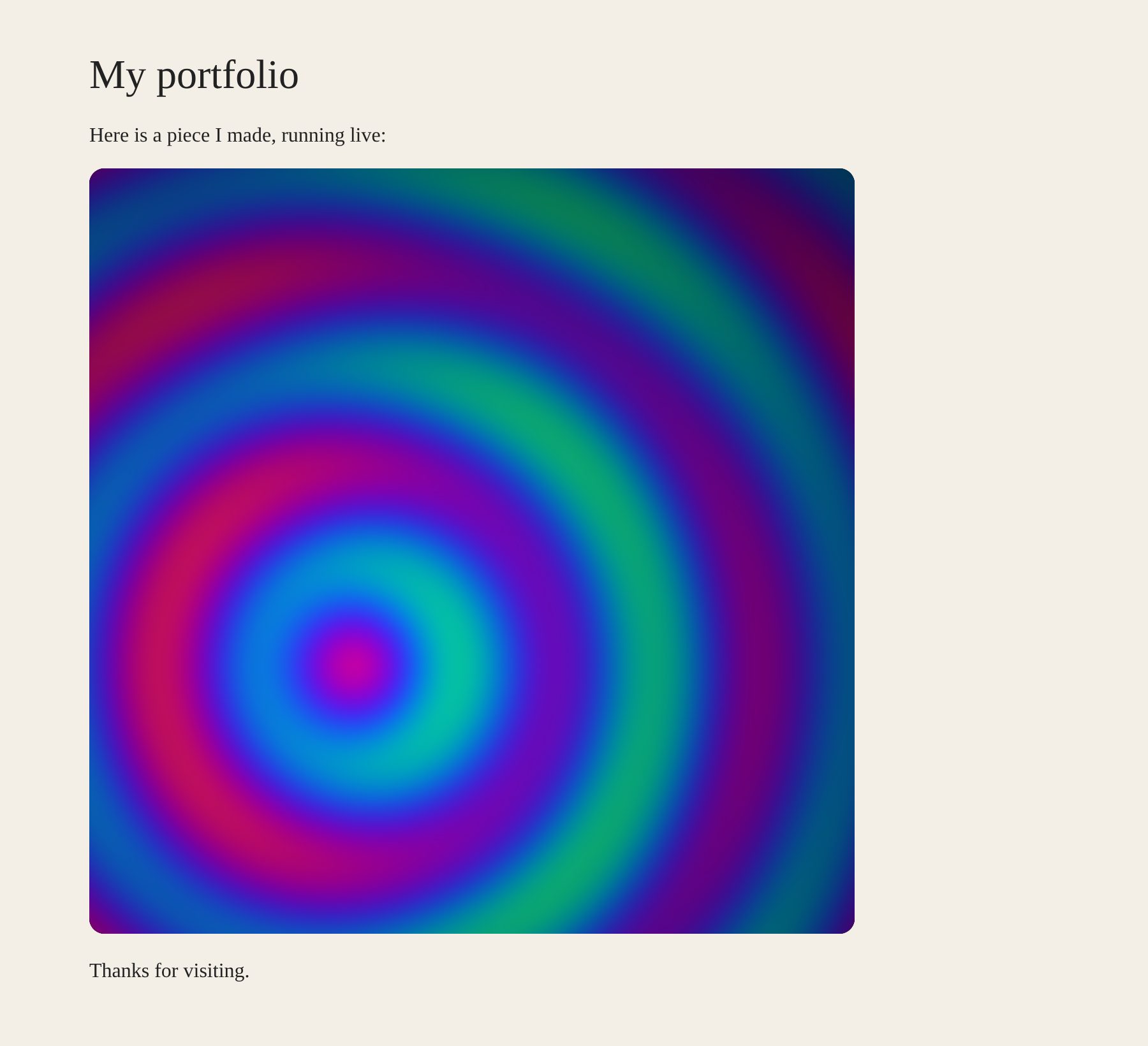
- Paste the code into your site, blog or portfolio, where you'd put a picture or a video. Most site builders have an "HTML" or "embed" block for this.
The work runs live there, with its sliders and a small bar with its title, your name and a link back. Press See how it looks to preview it first.
3. Make a video for Instagram
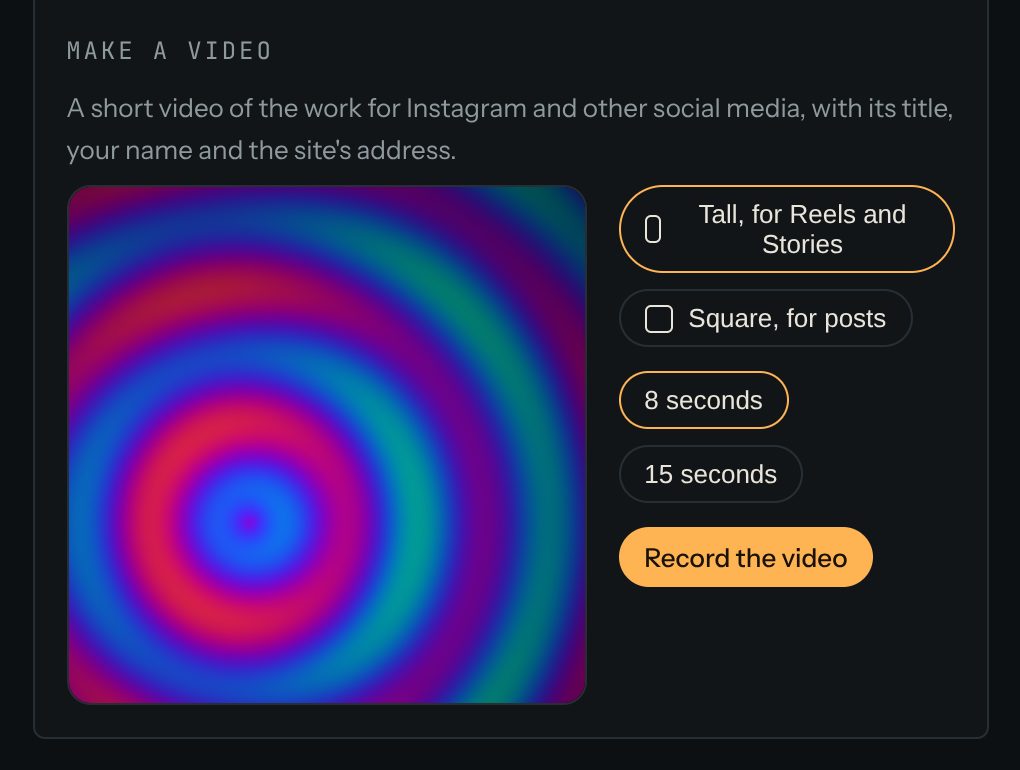
Under Make a video:
- Choose Tall, for Reels and Stories or Square, for posts.
- Choose 8 seconds or 15 seconds.
- Press Record the video and wait while it records.
- Press Download.
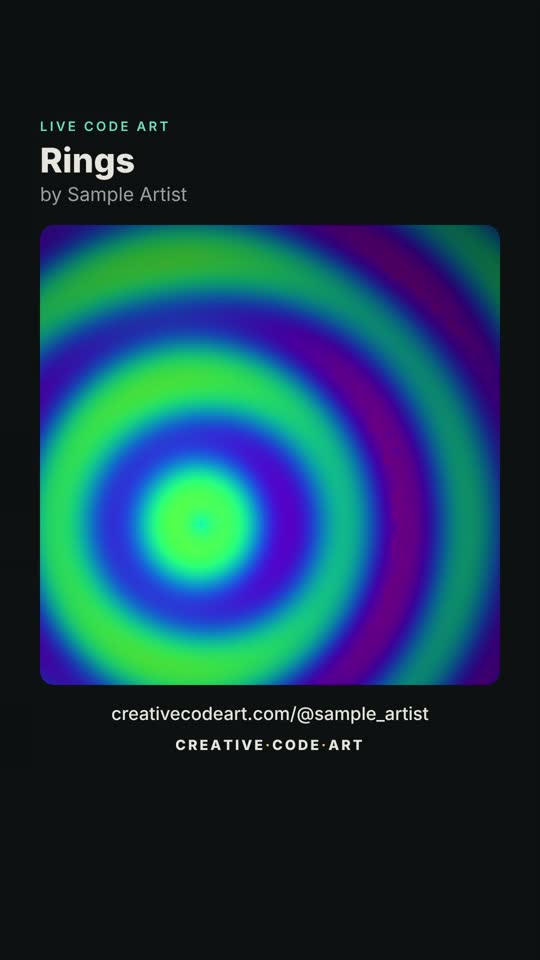
The video shows the work with its title, your name and your page's address, and ends with the site's name. Text stays clear of the parts of the screen Instagram covers with its own buttons.
Good to know
- Music works: press play in the small preview first, so the sound is in the video.
- MP4 for Instagram: Chrome, Edge and Safari save MP4 videos. Some browsers save WebM, which Instagram doesn't take; the site tells you when that happens.
- Pasting the link: some website tools turn a pasted work link into the live work by themselves.