How to put your Processing sketch on Creative Code Art
You can put a sketch from the Processing app on your artist page. It runs live in the visitor's browser, and you can add sliders so visitors can change it while it runs. This guide shows how, step by step.
Above is Magnet Field, a Processing sketch on the site. Move your pointer over it: the needles turn towards it. Click to leave a magnet behind.
1. Start a new work
- Sign in and open My account → My works.
- Press New work. The editor opens with a small example.
- In Tool, choose Processing.
2. Paste your sketch
Copy your code from the Processing app (the .pde file) and paste it over the example. Write it as you always do: void setup(), void draw(), size(), int, float, classes and ArrayList all work.
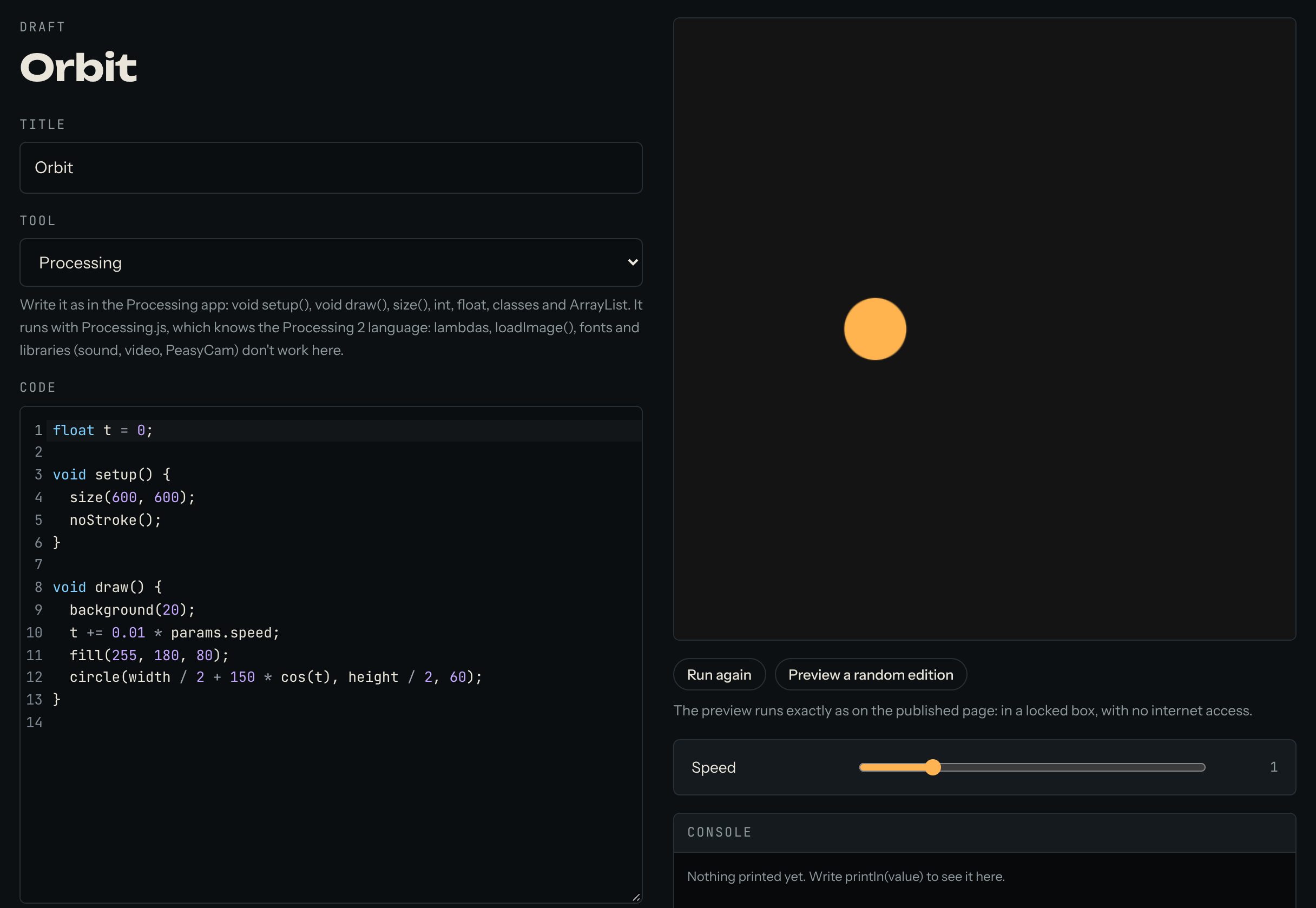
The preview next to the code runs your sketch a moment after you stop typing. Press Run again to start it from the beginning.
3. Add sliders
A slider lets visitors change a number in your sketch while it runs, for example the speed. In your code, read the number as params. and a name:
float t = 0;

void setup() {
  size(600, 600);
  noStroke();
}

void draw() {
  background(20);
  t += 0.01 * params.speed;
  fill(255, 180, 80);
  ellipse(width / 2 + 150 * cos(t), height / 2, 60, 60);
}
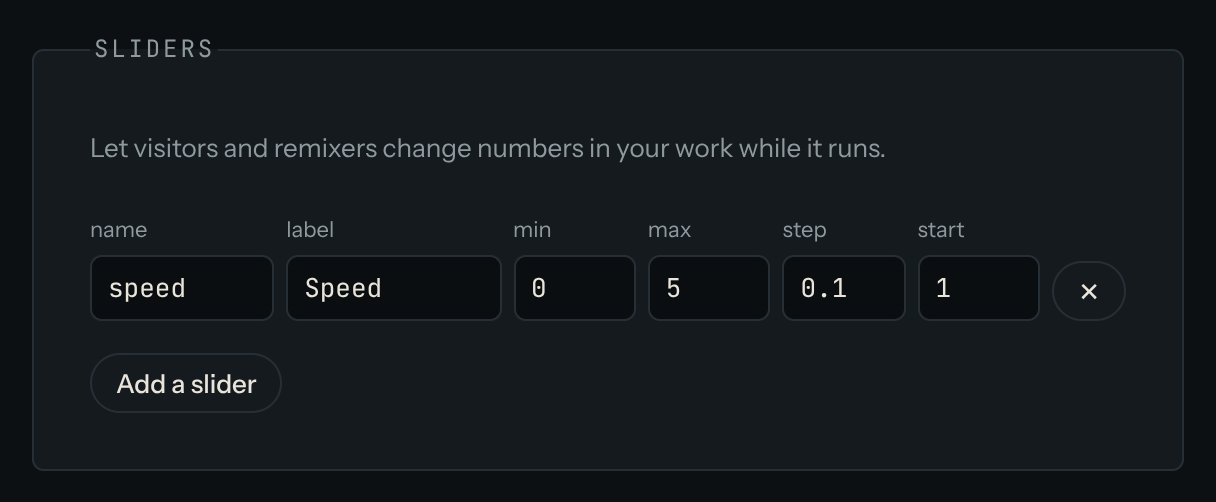
When your code reads a name that has no slider yet, the editor says so and shows a button to add it. Then set each slider's lowest value (min), highest value (max) and starting value (start). For this example, try speed from 0 to 5, starting at 1.
4. Find mistakes with the console
Under the preview there's a Console. Whatever your sketch prints with println() shows there, and so do errors. It's the quickest way to see what a value is.
5. Publish
Give the work a title, write a few lines in About this work, and press Publish. The site takes a picture of the sketch for its cover. The work now appears on your artist page and in Works.
Good to know
- The mouse and keyboard work as in the Processing app:
mouseX,mousePressed(),keyPressed(). - The site runs sketches with Processing.js. It knows the older Processing 2 language, so a few newer things don't work, such as
->(lambdas),circle()andsquare(). Useellipse(x, y, w, h)andrect(x, y, w, h)instead. - Works can't load files from the internet, so
loadImage(), fonts and libraries (sound, video, PeasyCam) don't work. Draw everything in code. random()andnoise()work. If you offer free editions of a work, each edition gets its own random numbers, so every collector gets a different version.
Questions? Read "Can I bring my Processing sketches?" on the Help page, or ask in the Chat.