Write for the Journal
Anyone with an artist page can write for the Journal: a tutorial, the story behind a work, or an essay. Your works can run live inside the text. An editor reads every article before it's published. This guide shows how to write one.
A work's link on a line of its own shows the work running inside the article, like this.
1. Start an article
- Sign in and open My account → My articles.
- Press New article.
- Fill in Title, choose the language in Written in, and write in Article. Short summary (optional) is shown on the Journal page.
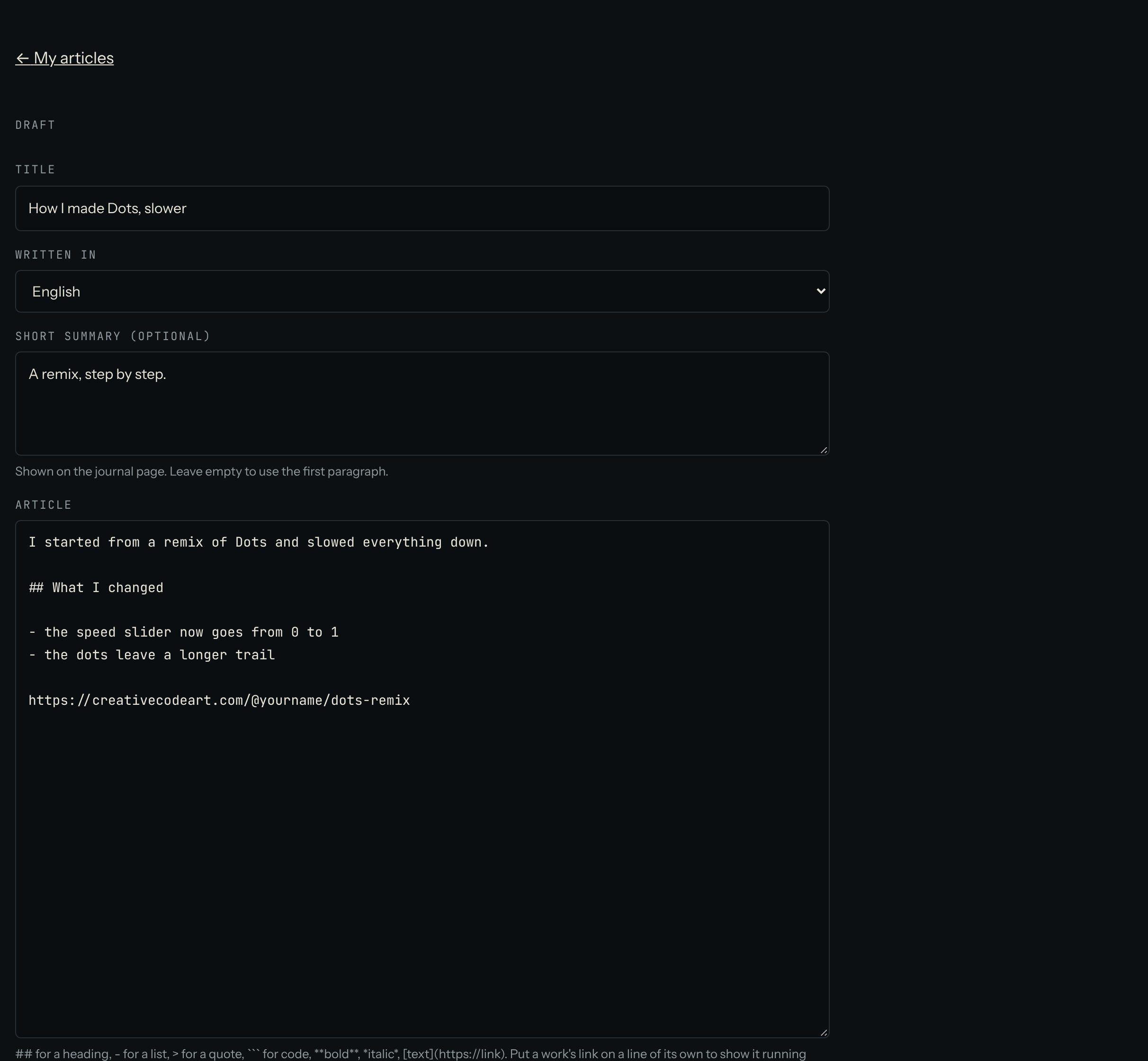
2. Format the text
##at the start of a line makes a heading,###a smaller one.-makes a list,1.a numbered list, and>a quote.**bold**,*italic*, and a `[text](https://...)makes a link.- Three backticks on a line, then your code, then three backticks again, makes a code box.
- A work's link on a line of its own shows the work running live. Copy the address from the work's page.
3. Check and send
- Press Preview to see the article as readers will.
- Press Save draft to keep working later.
- When it's ready, press Send for review.
An editor either publishes it or sends it back with a Note from the editor. You can change it and send it again. Want to change it while it's waiting? Press Take back to edit.
Tips
- Write for someone who's one step behind you. Short sentences, one idea each.
- Show, don't just tell: a live work teaches more than a paragraph.
- Up to 12 live works per article.
Questions? Read "Can I write for the journal?" on the Help page.