Bring your sketches from the p5.js editor or OpenProcessing
Already made sketches in the p5.js editor or on OpenProcessing? You can bring them to Creative Code Art in one step, with the file you download from those sites. Nothing is uploaded until you say so.
Petal Storm is a p5.js work. Your imported sketches run live just like it.
1. Download your sketch
- p5.js editor: open the sketch, then File → Download. You get a ZIP file.
- OpenProcessing: open your sketch and use its download option. You get a ZIP file.
- Processing app: zip the sketch's folder (the one with the
.pdefiles). - One file: a single
.js,.pdeor shader file works too.
2. Bring it here
- Sign in and open My account → My works.
- Press Import a sketch.
- Press Choose a file, or drop the file on the box.
The site reads the file in your browser and shows what it found: the tool, the code files it joined, and anything it had to leave out.
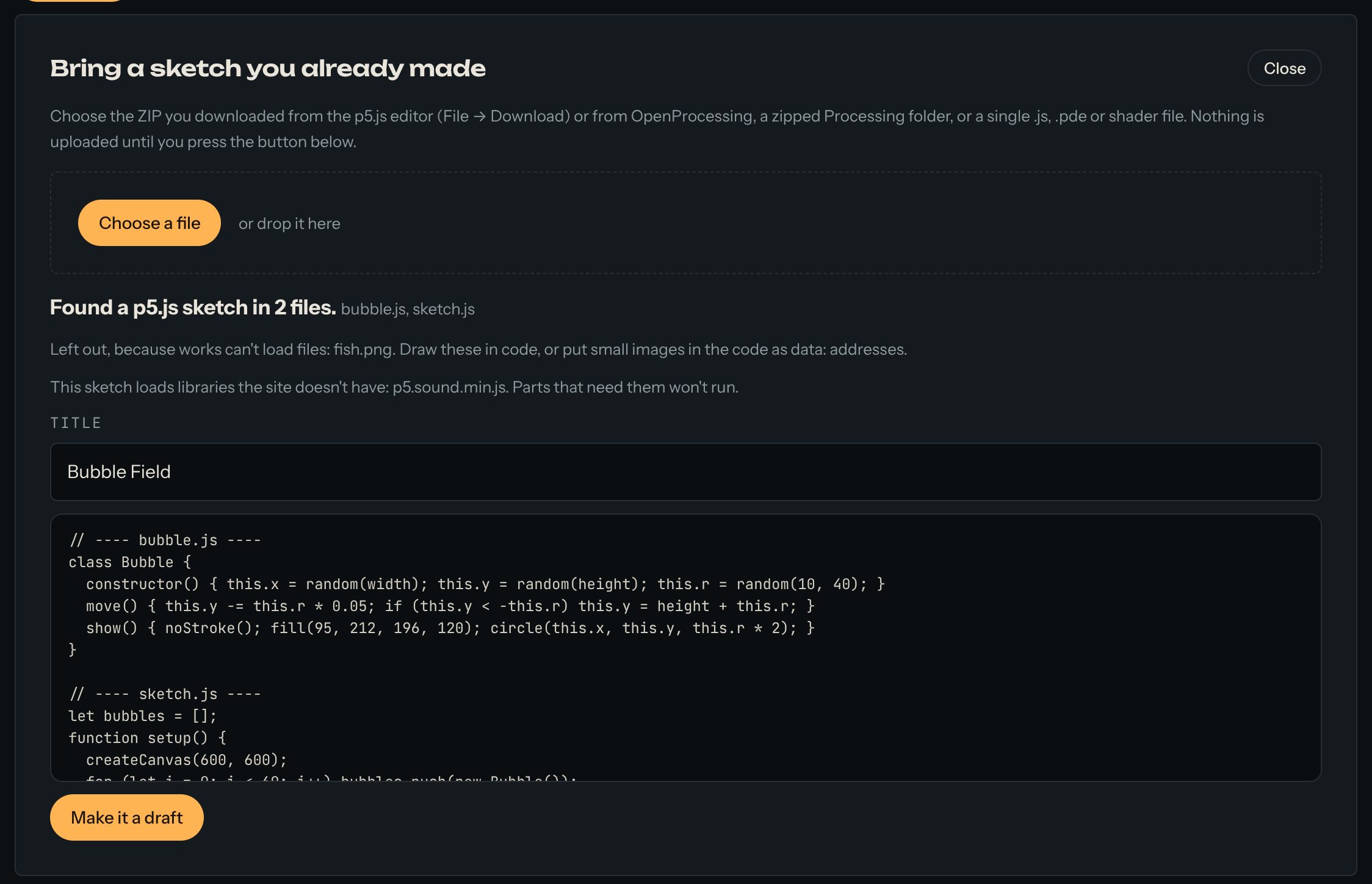
3. Check and make the draft
- Title: taken from the sketch's page or the file's name. Change it if you like.
- Left out: pictures, sounds, fonts and data files. Works can't load files, so draw those in code, or put small images in the code as
data:addresses. - Libraries: if the sketch loads libraries the site doesn't have (p5.sound, ml5 and others), the parts that need them won't run.
Press Make it a draft. The editor opens with your sketch running. Add sliders, write a few lines in About this work, and press Publish.
Good to know
- The code files are joined in the order your sketch's page loads them, so classes in other files still work.
- A Processing sketch's main tab comes first, then its other tabs.
- A work's code can be up to 100 KB.