Join an event, or buy a ticket
Workshops, live shows, meetups and talks are on the Events page. Many are free to join; some sell tickets. This guide shows both.
At live shows, works like this one are played and changed in front of the audience.
1. Find an event
- Open Events. The next event is also on the homepage.
- Times are shown in your own time zone, with the organiser's time beside it when they differ.
- Press Add to calendar so your calendar reminds you before it starts.
2. A free event
Press Join or register at the time of the event (online), or go to the place (in person). Nothing else to do.
3. An event with tickets
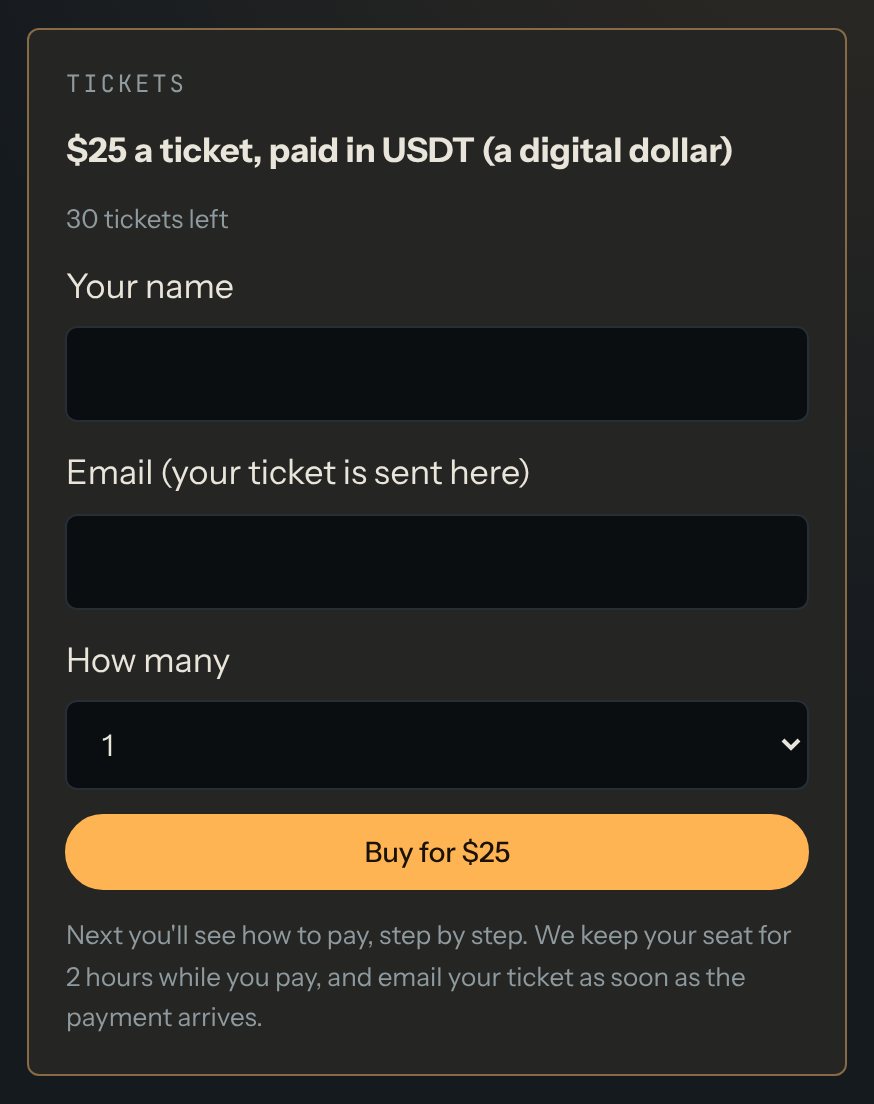
- In the Tickets box, write your name and email, and choose how many.
- Press Buy. You go to the payment page, which shows how to pay in USDT, step by step (our guide to paying).
- We keep your seat for 2 hours while you pay.
- As soon as the payment arrives, your ticket and an 8-letter code are emailed to you. Show the code at the door, or in the chat for an online event.
Good to know
- Ticket sales close 30 minutes before the start.
- If tickets say Sold out, seats may come back when someone doesn't finish paying: look again later.
- Can't come? Your ticket isn't refunded, but you can give it to someone else: write to hello@creativecodeart.com before the event starts.
- If we cancel the event, we refund your ticket in full, in USDT.
Questions? See "How do event tickets work?" on the Help page.