Make every edition different
When you offer free editions of a work, each edition runs your code with its own starting number, its seed. If your code makes random choices, every edition comes out different. This guide shows how to write code that gives every collector a version worth keeping.
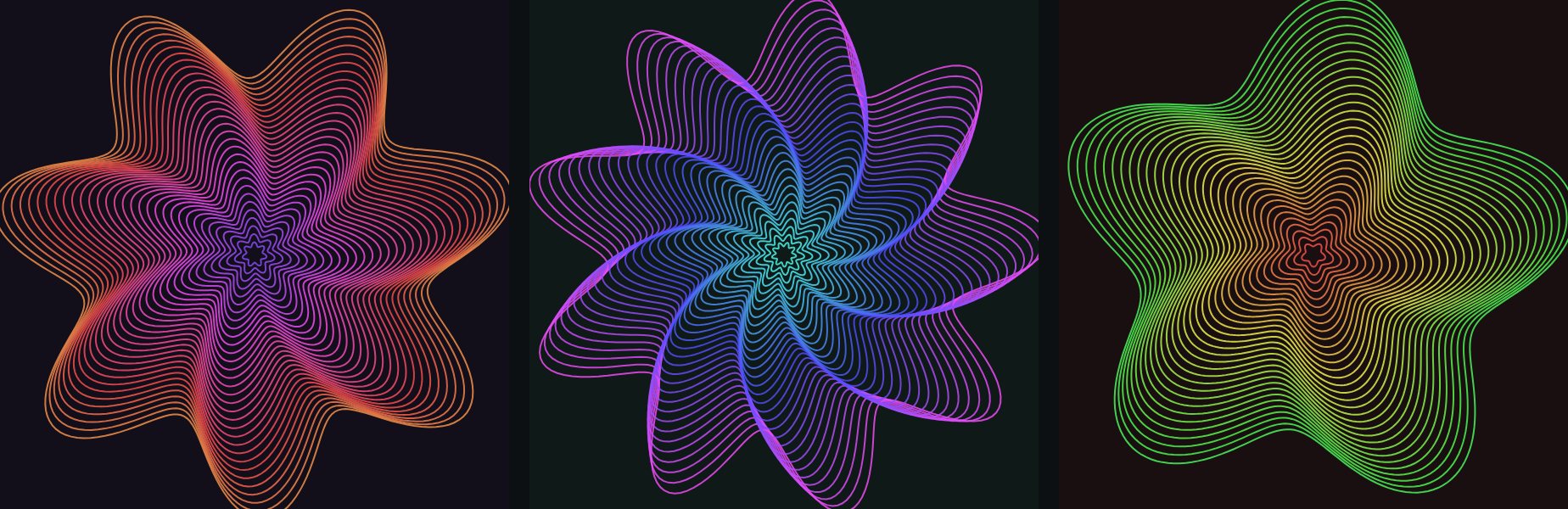
Petal Storm offers editions. Each collected edition looks a little different.
1. How it works
- Each edition has its own seed.
random()andnoise()in p5.js and Processing, andMath.random(), give different numbers for each edition. - The same edition always gives the same numbers, so it looks the same every time it's opened.
- In a shader,
u_seedis a different number for each edition, from 0 to 1, andu_editionis its number. edition.numbertells your code which edition is running.
2. Let random choices make big differences
Pick the important things at random: the colours, the number of shapes, the twist. Here is a small p5.js sketch where each edition chooses its own colour, number of petals and twist:
// Each edition picks its own colour, number of petals and twist.
function setup() {
  createCanvas(600, 600);
  colorMode(HSB, 360, 100, 100, 100);
  noLoop();
}

function draw() {
  const hue = random(360);
  const petals = floor(random(3, 10));
  const twist = random(0.5, 4);
  background(hue, 40, 10);
  translate(width / 2, height / 2);
  noFill();
  strokeWeight(2);
  for (let r = 260; r > 10; r -= 8) {
    stroke((hue + r * 0.5) % 360, 70, 100, 80);
    beginShape();
    for (let a = 0; a <= TWO_PI + 0.01; a += 0.02) {
      const k = r * (1 + 0.2 * sin(a * petals + r * 0.01 * twist));
      vertex(k * cos(a), k * sin(a));
    }
    endShape();
  }
}
noLoop() draws the picture once. Each edition draws its own.
3. Check the variety before you open editions
- Open your work in the editor.
- Press Preview a random edition a few times. Each press shows another edition.
- If they all look alike, let random numbers decide bigger things. If some look broken, make the random ranges smaller.
4. Open editions
Turn on Offer free editions, choose How many editions, and save. Visitors who are signed in can now press Collect an edition on your work's page.
Read the guide "Collect free editions" to see what collectors see.