The chat, the community rules and reporting
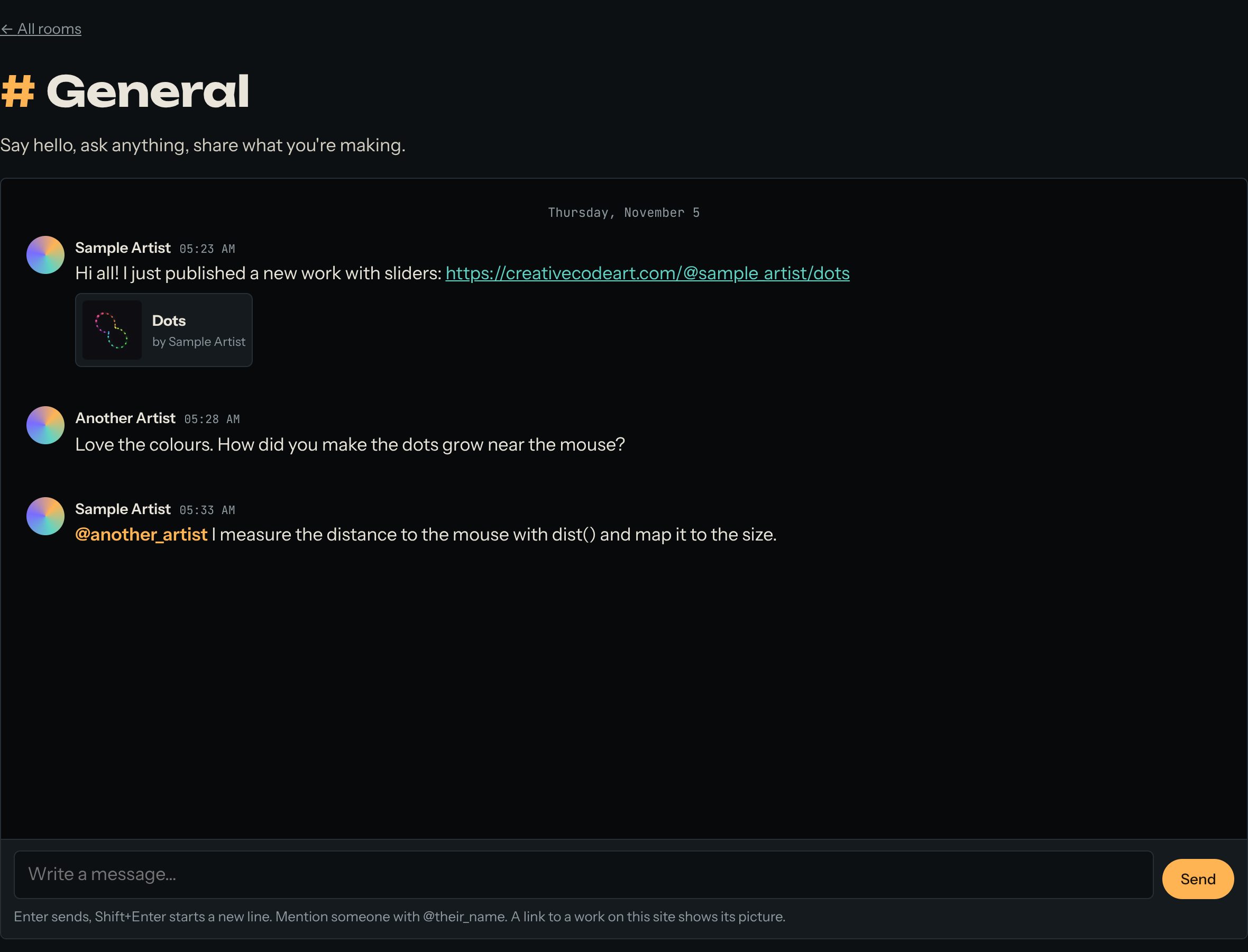
The chat has rooms for questions, works in progress and finding people to work with. Anyone can read. To write, you need an artist page. This guide shows how the chat works, the community rules, and what to do if something goes wrong.
A link to a work on this site shows its picture in the chat.
1. Write in a room
- Open Chat and choose a room.
- Sign in and make your artist page if you haven't. Your messages show your name and picture.
- Type in Write a message… and press Send, or Enter.
- Shift+Enter starts a new line.
- Write @their_name to mention someone. They get a notification.
- Paste a link to a work on this site and its picture shows.
- You can delete your own messages.
2. The community rules
- Credit the artists, code and tools you build on. Don't present someone else's work as your own.
- Be kind: no harassment, hate, threats, or sharing someone's private details.
- Don't pretend to be someone else.
- No spam, scams, or code meant to harm visitors.
- No adult or violent content on public pages.
Read them all on the community rules page. Moderators can hide messages and pause people who break them.
3. Report a problem
See a message, a work or a page that breaks the rules?
- Sign in.
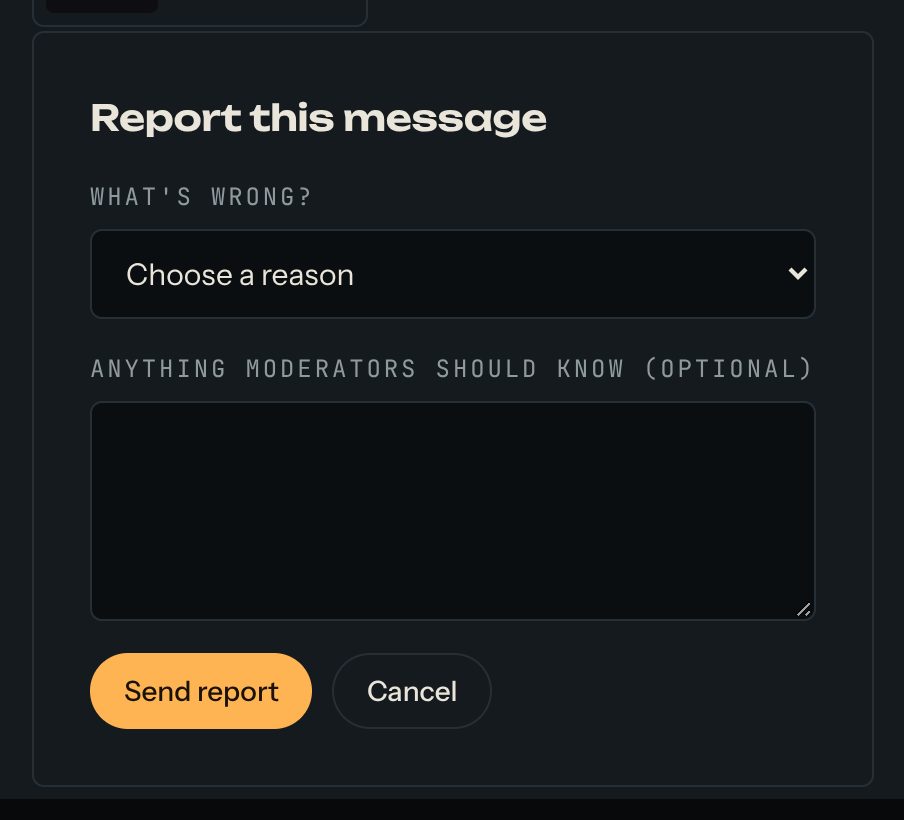
- Press Report this message under the message, or Report this work or Report this page at the bottom of a work or page.
- Choose a reason and press Send report.
A moderator looks at every report. The person isn't told who reported them. If someone posted your work as their own, choose Uses someone else's work without credit.
Questions? Read "How do the chat rooms work?" on the Help page.