Take part in a challenge
A challenge is a theme with a deadline. Artists answer it by making a work and entering it, and every entry runs live on the challenge's page. It's a good way to start something new, and to be seen.
Any published work can be entered in an open challenge.
1. Find a challenge
Open Challenges. You'll see the ones Open now, the ones Coming up, and Past challenges. Open one to read its theme and see the entries.
2. Take part
- Make a work for the theme and publish it.
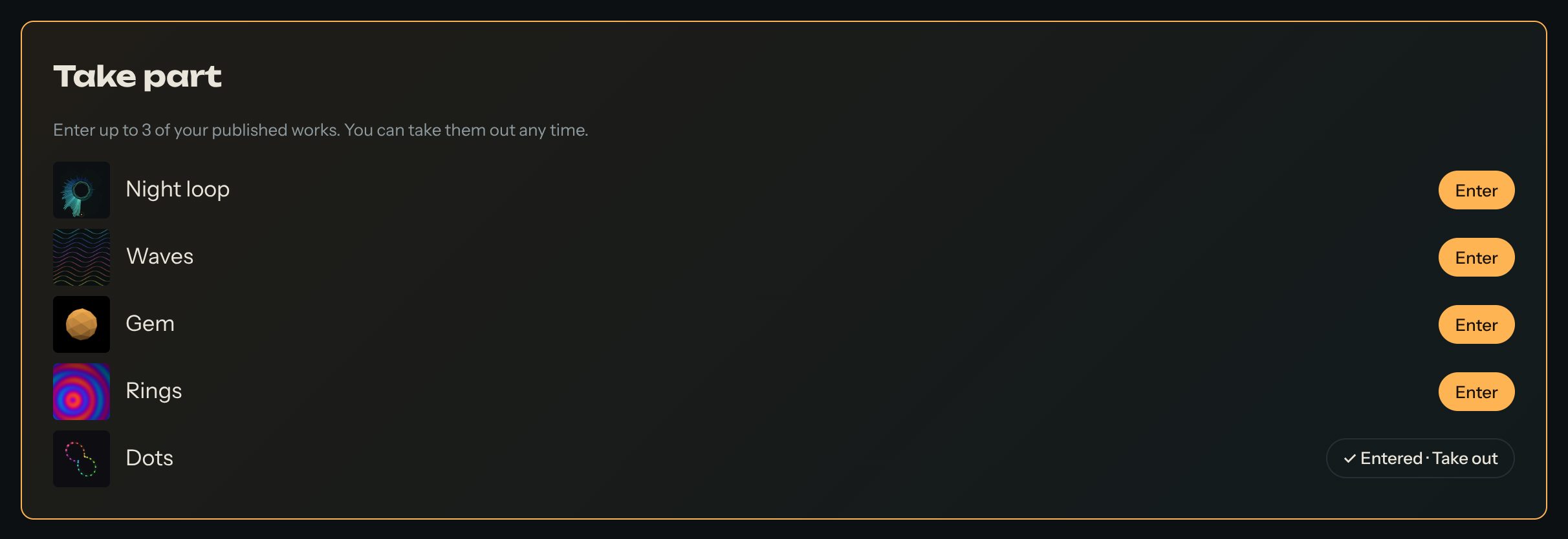
- Open the challenge and find Take part.
- Press Enter next to your work.
You can enter up to 3 of your published works. Changed your mind? Press Take out. Until the challenge closes, you can enter and take out works as often as you like.
3. Picks
When the challenge ends, the team picks favourites to highlight. They show under Picks on the challenge's page. If your work is picked, you get a notification. A pick is recognition. Most challenges have no prize; a sponsored challenge says on its page what its prize is.
Tips
- Read the theme closely, then make it your own. Surprising answers stand out.
- Use sliders, so visitors can explore your idea.
- Look at other entries: they're a great source of ideas, and you can remix the ones that allow it.
Questions? Read "How do I take part in a challenge?" on the Help page.