Take part in a challenge month
Some challenges last a whole month, with a new prompt every day, like Genuary in January. Each day has its own page and its own live gallery, and the month has a calendar where you can see them all.
Any published work can be entered in a day's challenge.
1. Open the month
Open Challenges. A challenge month has its own card at the top. Open it to see the calendar: today glows, past days show a picture of their entries, and days to come are dimmed.
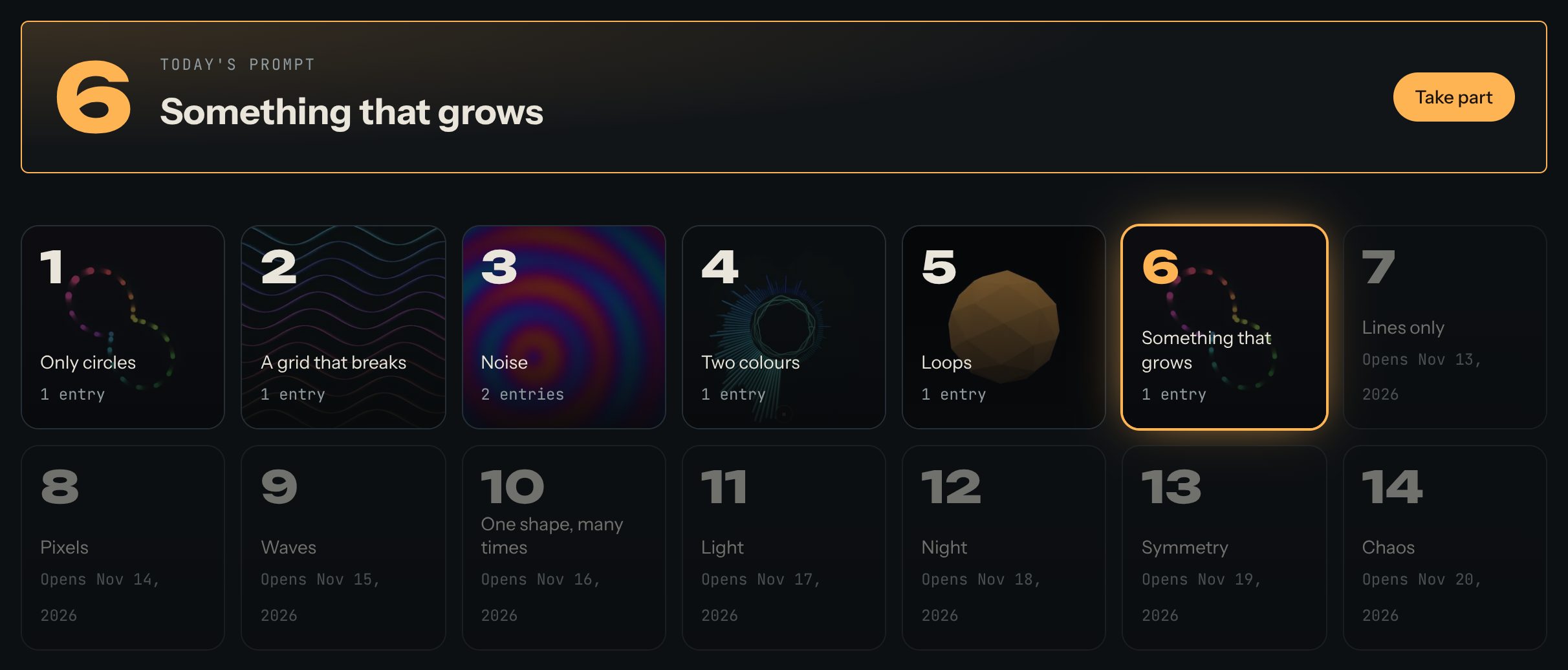
2. Take part
- Press Take part on today's prompt, or open any day on the calendar.
- Make a work for that day's prompt and publish it.
- On the day's page, find Take part and press Enter next to your work.
You can enter a work on any day that's still open, even a day you missed: days stay open for a while after the month ends.
3. Move between days
Each day's page has Previous day, Next day and See the whole month. If the prompt comes from someone else, the page says who wrote it.
Tips
- Small is fine. Many people make something in an hour.
- Remix last year's work, or your own from yesterday: remixes always credit the original.
- Make a video of your entry (Share → Make a video) and post it with the month's hashtag.